dusk
Dusk
Dark mode, on your schedule.
A Chrome extension that turns every tab dark at night, choosing the most natural approach for each page:
- The site’s own dark theme — if a site ships a dark theme, Dusk switches it on, logos included.
- Already-dark sites — pages that are already dark are left exactly as they are.
- Everything else is converted — every color is recomputed by its role: backgrounds go dark, text goes light, and buttons and brand colors keep their hue at a readable brightness. Photos are left alone, and black logos on transparent backgrounds are made visible.
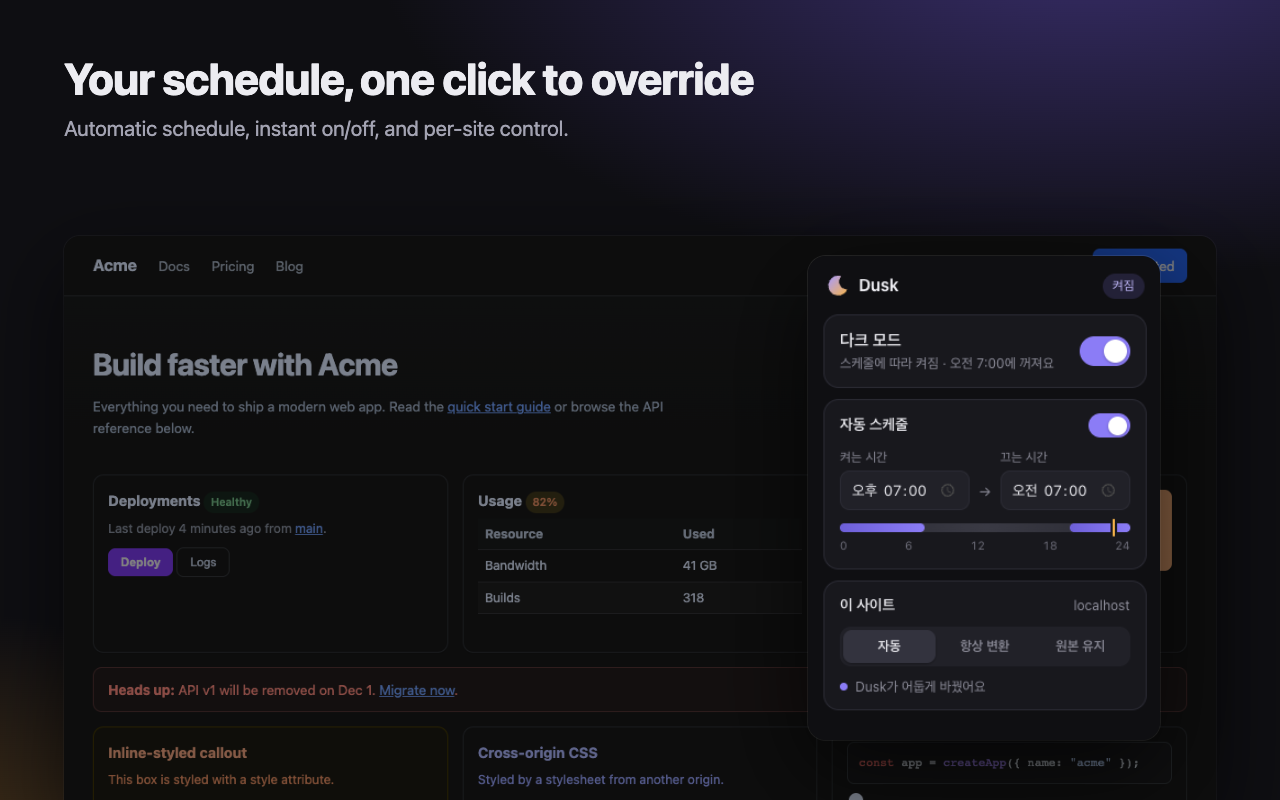
Features
- Schedule — pick when dark mode turns on and off (default 7 PM – 7 AM).
- Instant override — flip the switch to turn it on or off now; the schedule takes over again at the next change.
- Per-site modes — Auto, Always convert, or Keep original.
- No white flash — pages are painted dark from the first frame while dark mode is active.
- Smooth transitions — switching on or off cross-fades the page.
- Private — no data collection, analytics, or remote code. See PRIVACY.md.
Build and install locally
Use Node.js 22.18 or newer and npm. Chrome 123 or newer is required by the extension manifest.
npm ci
npm run build
- Open
chrome://extensions. - Enable Developer mode.
- Select Load unpacked and choose this repository’s
dist/directory. - Open Dusk from the extensions menu to set the schedule or choose a per-site mode.
The extension uses Manifest V3, a background service worker, content scripts, and a popup. Page access is required to inspect and transform site colors; settings are stored with Chrome’s storage API. See PRIVACY.md for details.
Development
npm run watch      # Rebuild as source files change
npm run typecheck  # Check TypeScript types
npm test           # Run unit tests
npm run e2e        # Build and run browser checks
npm run zip        # Build and package the extension
Reload the unpacked extension after rebuilding. The browser checks use Playwright and require its Chromium browser installation.
Code map
| Path | Purpose |
|---|---|
src/background.ts |
Scheduling and background coordination |
src/content/ |
Theme detection and page color conversion |
src/main-world.ts |
Page-context integration |
src/popup/ |
Schedule and site settings UI |
src/shared/ |
Settings, messages, and image analysis |
test/ |
Unit and browser checks |
scripts/ |
Build and packaging tools |